Google Docs
-
4.6
-
Developer
Google LLC
-
Category
Productivity
-
Version
1.25.451.02.90
-
Android OS
4.4
-
Downloads
380M
-
Content rating
3
Pro
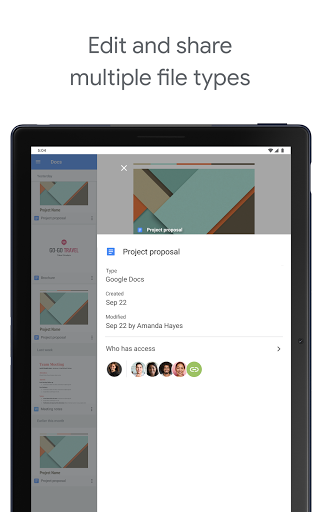
👍 Google Docs enables real-time collaboration, letting multiple users edit the same document simultaneously with live cursor tracking, comments, and suggestion mode. Built-in version history preserves edits and lets you restore previous drafts, while granular sharing permissions control access—making team writing and remote project coordination fast, transparent, and easy to manage.
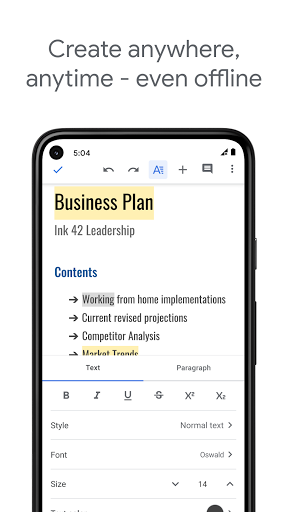
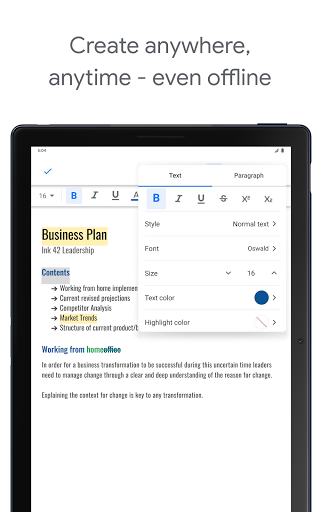
👍 Google Docs stores files in the cloud with automatic saving and seamless cross-device syncing, so documents are accessible from any browser or mobile app without backups. Offline editing syncs changes when reconnected, reducing data-loss risks. This flexibility supports working on the go and ensures consistent document versions across teams and devices.
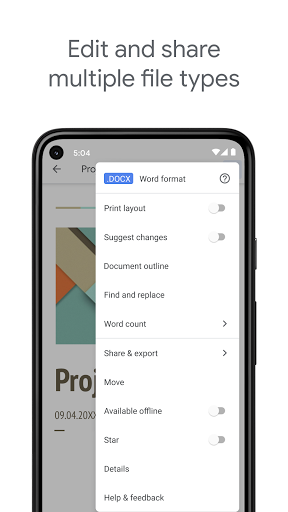
👍 Google Docs integrates tightly with Google Workspace, offering templates, add-ons, and seamless connection to Drive, Gmail, Calendar, and Sheets. Built-in research tools, voice typing, easy export to multiple formats, and robust formatting controls accelerate content creation and publishing. This ecosystem boosts productivity and simplifies workflows for writers, marketers, and editors.
Con
👎 Google Docs relies heavily on an internet connection; while offline mode exists, syncing can be unreliable and feature-limited. Large or media-rich documents often load slowly and can cause browser crashes. Performance issues become noticeable when collaborating in real time on complex files, impacting productivity.
👎 Compared with desktop word processors, Google Docs lacks advanced formatting and layout tools. It struggles with precise typography, complex tables, and multi-column page design, making it less suitable for print-ready documents or long-form publications. Users often face formatting shifts when importing or exporting between Docs and Microsoft Word.
👎 Google Docs stores files on Google Drive, raising privacy and security concerns for sensitive content. Organizations may worry about data ownership, compliance, and third-party add-ons that request broad permissions. While Google provides robust security features, users have limited control over encryption and backend access compared with self-hosted solutions.
Screenshots