




Pro
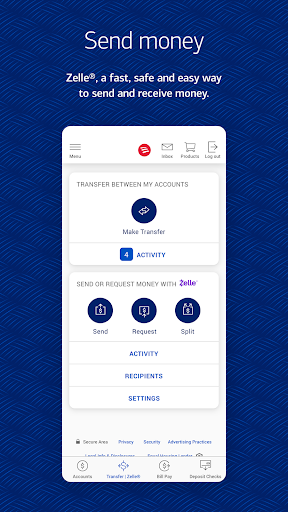
👍 Bank of America’s Mobile Banking app offers 24/7 access to accounts, allowing mobile check deposits, bill pay, transfers, and fast person-to-person payments via Zelle. Schedule payments, view statements, and locate nearby branches or ATMs. The streamlined interface makes everyday banking tasks quick and convenient from your phone.
👍 Strong security features protect your money and identity: biometric login with Touch ID/Face ID, two-factor authentication, data encryption, and real-time fraud monitoring. You can instant-lock lost or stolen cards, receive customizable account alerts, and review suspicious activity quickly, providing peace of mind while managing finances on the go.
👍 The app’s built-in assistant, Erica, alongside spending insights, personalized budgeting tools, and access to your FICO® Score, helps you track progress and make smarter financial decisions. Integrated credit card, mortgage, and investment views plus tailored alerts and offers create a unified experience for managing goals and improving financial health.
Con
👎 The app can be sluggish or unstable at times, with occasional freezes, slow load times, and crashes during peak hours. Users report delays completing tasks like mobile deposits or transfers, which can be frustrating when you need to move money quickly or verify balances in real time.
👎 Some advanced banking tasks remain limited or easier on the desktop site or in-branch. Complex account management, certain loan or mortgage functions, and detailed dispute handling often require the website or a representative. Business account features and some third-party integrations are also less comprehensive in the mobile app.
👎 In-app customer support and security workflows can be cumbersome. Chat and automated support may not resolve complex issues, leading to longer waits for human assistance. Strong security measures are important but frequent re-authentication, biometric glitches, and inconsistent alert timing can interrupt quick access and routine transactions.


